The
Latest: Is a Tablet PC for You
Carl
Sannito
As
a teacher, we sometimes become emotionally tied to our jobs. I’m
no exception. I have worked for the last eight and a half years
at one particular school. I’ve experienced quite a bit there
in that time. However, a few weeks back I transferred to a new school.
It was a hard decision to make, but the chance to work at a brand
new school--and when I say brand new, I mean NEW, construction was
completed in the fall--was not something that I wanted to pass up.
So I packed
up all my memories and moved. But one problem was that I had to
leave my laptop computer with my old school. I relied on the portability
of the laptop. I liked working on projects, lessons and ideas from
many locations. I decided this was an opportunity to do a little
research and buy a new one.
 As
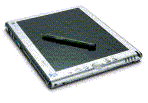
I began to look around at laptops, I discovered the Windows XP based
Tablet PC. There are two types of tablets: one is a slate and one
is a convertible. Both types include the ability to write on the
screen as a means of inputting information. The slate type, however,
doesn’t typically include a keyboard or CD/DVD drives. The
slate version can connect to a keyboard for data entry and it weighs
significantly less that the convertible model. As
I began to look around at laptops, I discovered the Windows XP based
Tablet PC. There are two types of tablets: one is a slate and one
is a convertible. Both types include the ability to write on the
screen as a means of inputting information. The slate type, however,
doesn’t typically include a keyboard or CD/DVD drives. The
slate version can connect to a keyboard for data entry and it weighs
significantly less that the convertible model.
Think of the
tablet pc as kind of a really big PDA. (If you want to see some
examples, try
this site: ). I wound up buying a tablet PC and after a few
weeks of use I can highly recommend it for teachers, with a few
stipulations. You are going to pay a premium price for the tablet
PC itself, and on a teacher's salary it's not cheap. Also, most
of the software that you will want to use on the tablet PC will
have to be purchased separately. Knowing those things up front is
important.
What makes the
tablet PC so helpful to educators isn’t the hardware, but
the software. One critical piece of software for the tablet is MS
OneNote. OneNote is a type of notebook that you can “write”
in, using a digital pen. The ability to write on your screen and
capture notes is exciting to me. Then, to be able to move those
notes around the screen as easy as you move an icon on your desktop
is even better. I love the fact that you can convert your handwritten
notes to text. You can search both handwritten and typed notes.
You can organize your notes however it suits you best.
I use it to
organize to do lists and keep track of student work. I take it to
meetings to keep everything in one place. Besides that, I still
have the portability of a laptop computer wherever I take the tablet.
OneNote can
also be used without the tablet, you simply type your freeform notes
into it. As a busy professional, it has helped me tremendously in
my new job. But I can see classroom teachers as well as administrators
gaining much from this.Are you interested in a free demo? Click
here.
The tablet can
also be used in tandem with PowerPoint XP (or 2003) so you can write
inside your presentations. Essentially, by connecting the tablet
to a projector, you can establish a type of portable “smart-board”
so that what you write on the presentation screen (perhaps to add
emphasis to a slide show) will be exactly what your students see.
There are fun
applications too. Alias software has created SketchBook Pro, software
that allows you to draw on your tablet with markers, paint brushes,
pens and pencils. You can choose any color in the rainbow and save
your work for later. Then you can print it out or e-mail it. Take
a look at Sketchbook Pro.
Although I wish
I had one of these when I was in college, I’m so glad that
I have one as an educator. This is one piece of hardware worth checking
out.
The tablet PC
is manufactured by a variety of computer companies such as Gateway,
Toshiba, HP, etc. (a
complete list of manufacturers). They come in a variety of sizes
and prices. Yes, you do pay a premium with this machine and the
added features may not be worth it for everyone. But the tablet
machines are coming down in price and they are really worth checking
out for yourself.
For more information,
check out these useful websites:
Discussions
in Tablet PC General Discussion
The Tablet PC
TabletPCBuzz.com
Do you have a comment or suggestion? You can e-mail Carl at carlsannito@yahoo.com. |




